

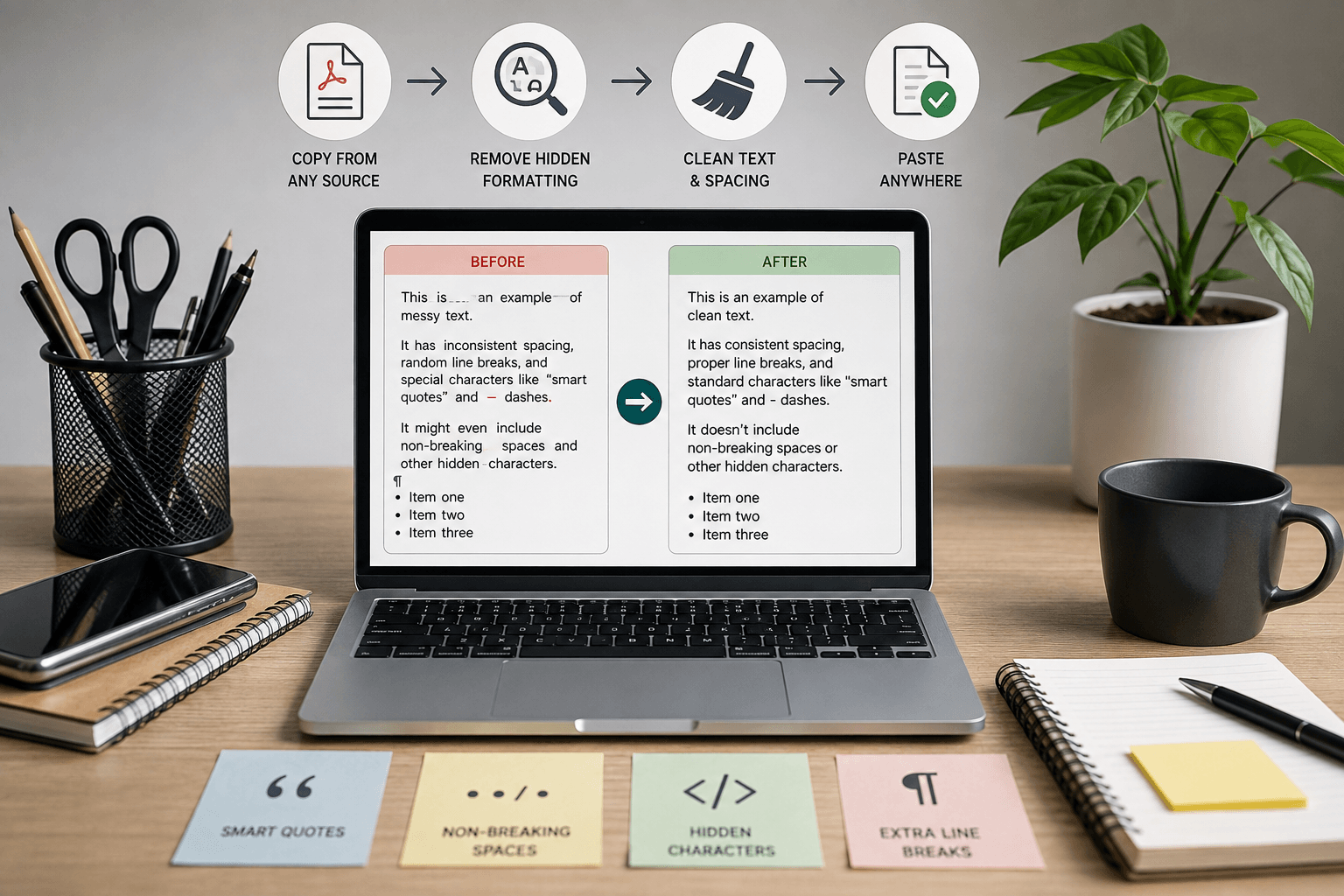
You paste a paragraph from a PDF into WordPress and every sentence breaks into its own line. Or you copy a quote from an email and the quotation marks turn into little boxes on your website. This happens more often than most people realize, and it’s the exact problem that pushes people to search for a way to clean text online in the first place.
To clean text online means removing invisible formatting, stray characters, and layout leftovers from copied text using a browser-based tool, so the result is plain and consistent no matter where you paste it next.
That sounds simple, but the details are where most guides fall short. Below is what actually happens to text when it moves between apps, why some “clean” text still breaks things later, and how to fix it properly instead of guessing with Find and Replace.
Where Messy Text Really Comes From
Copied text rarely arrives clean because the source app embeds its own formatting rules into every character, not just the visible ones.
A Word document, for example, stores font tags, tracked-change markers, and language attributes behind the words you see. Google Docs does something similar with its own internal markup. PDFs are worse because they don’t store paragraphs at all. They store individual lines positioned on a page, so when you copy three lines that visually form one sentence, you often get three separate lines with a break after each one.
Email clients add their own layer too. Outlook and Gmail both wrap pasted content in HTML spans carrying font-family and color data, which is why pasted email text sometimes shows up in a strange font on your site even after you’ve deleted the visible formatting.
The Hidden Characters That Cause the Real Problems
This is the part most articles on cleaning text skip entirely, and it’s usually the actual cause of the weirdest bugs people run into.
Smart quotes are the most common offender. Word and Google Docs automatically convert straight quotes (" and ') into curly ones (“ ” ‘ ’) as you type. Typography guides like Matthew Butterick’s Practical Typography point out that this substitution has been a default word processor behavior for close to three decades, which is exactly why it catches people off guard when it causes trouble. The problem shows up the moment that text lands somewhere that expects plain ASCII characters, like a JSON file, a URL slug, or a code snippet. A curly quote in a string will throw a syntax error because the interpreter doesn’t recognize it as a quote character at all.
Non-breaking spaces are the second sneaky one. They look identical to a regular space but are a different Unicode character entirely. Copy text from a PDF or a table and you’ll often get these mixed in with normal spaces. Most Find and Replace tools won’t catch them unless you specifically search for the Unicode value, which is why a paragraph can look perfectly normal but still trip up a script that’s counting words or checking for duplicate spacing.
Zero-width spaces and other invisible Unicode characters occasionally sneak in from copy-pasted social media captions or certain CMS exports. They add zero visible width but still count as characters, which can throw off character limits on meta descriptions or trigger false positives in plagiarism checkers.
None of this is exotic. It’s just the everyday byproduct of text passing through different software, and it’s the reason a text cleaning pass sometimes needs to go deeper than “remove bold and italics.”
What a Proper Text Cleaner Should Actually Do
A tool built to clean text online should handle four layers, not just one:
- Visual formatting: bold, italics, font family, font size, color, and inline CSS.
- Structural formatting: HTML tags, line breaks that don’t belong, and leftover list or table markup.
- Character-level issues: smart quotes, non-breaking spaces, em dashes used inconsistently, and stray Unicode characters.
- Whitespace: double spaces, trailing spaces, and blank lines stacked on top of each other.
Most free tools handle layer one well and layer two decently. Fewer handle layer three at all, which is exactly the gap worth checking before you trust a tool for anything going into code, a spreadsheet formula, or a CMS that’s picky about input.
One habit worth building: run a quick word count before and after cleaning. If a 500-word article drops to 480 words after cleaning, something structural got removed along with the formatting, not just whitespace. That’s a useful sanity check regardless of which tool you use.
Manual Fixes vs. an Online Text Cleaner
For a single sentence, Ctrl+Shift+V (paste without formatting) in most apps is genuinely faster than opening a separate tool. It strips visual formatting instantly, though it won’t touch smart quotes or non-breaking spaces.
For anything longer, or anything headed into a system that’s sensitive to hidden characters, an online cleaner does more of the real work in one pass. The trade-off is trust: you’re pasting your content into a third-party page, so it matters whether that processing happens in your browser or on a server somewhere.
A Quick Note on WordPress Specifically
If you’re pasting cleaned text straight into the WordPress block editor, one extra wrinkle is worth knowing. Gutenberg sometimes re-wraps pasted paragraphs in its own <p> tags even after you’ve stripped the original HTML, which is harmless for display but can bloat the page’s raw HTML if you’re pasting large volumes of content regularly. Switching the block to the Classic paragraph type, or pasting into the Code Editor view and checking the markup directly, avoids this. It’s a small thing, but for anyone publishing dozens of articles a week across multiple sites, those extra wrapper tags add up in page weight over time.
The same applies to pasting into Rank Math’s SEO fields for meta titles and descriptions. Those fields don’t render HTML at all, so a stray non-breaking space or smart quote copied in from Word will still count toward the character limit even though it looks invisible in the field. Cleaning the text first, then pasting into the SEO fields, avoids meta descriptions that get truncated a few characters earlier than expected in search results.
Where Your Text Actually Goes When You Paste It Into a Cleaner
This is rarely mentioned, and it should be, especially for anyone pasting drafts, client content, or anything under an NDA into one of these tools.
Most browser-based text cleaners run entirely client-side using JavaScript. That means the cleaning happens on your own machine inside the browser tab, and the text never gets sent to a server at all. You can usually confirm this yourself: open your browser’s developer tools, go to the Network tab, paste your text, and click clean. If no request fires off, nothing left your device. If you see a POST request going out, the text was transmitted somewhere, which matters if the content is sensitive. It’s a five-second check and worth doing once for any tool you plan to use regularly.
Using Depsek’s Text Formatter
Depsek’s own free text formatter handles all four layers above in one pass: it strips fonts and inline styles, cleans up broken line spacing from PDFs and emails, and normalizes spacing so pasted content reads as one continuous, well-structured block instead of a jumble of short lines. It’s built for the common real-world cases, pasting from a PDF, a chat export, or a Word document, rather than as a general-purpose Swiss Army knife with forty toggle switches you’ll never use.
For quick, everyday cleanup before pasting into a CMS or email, that’s usually all it takes.
FAQ
Does cleaning text online remove typos or grammar errors too?
No. Text cleaning only strips formatting, hidden characters, and spacing issues. It doesn’t check spelling or grammar, so you’ll still want a separate proofreading pass for that.
Will cleaning text change the actual words or word order?
It shouldn’t. A properly built cleaner only touches formatting and whitespace, not the visible words themselves. If word count drops noticeably after cleaning, check for accidentally deleted line breaks that merged separate sentences.
Is it safe to paste sensitive or confidential text into an online cleaner?
It depends entirely on whether the tool processes text in your browser or sends it to a server. Check the Network tab in developer tools before pasting anything sensitive, as described above.
Why do my quotation marks turn into weird symbols after I clean the text?
That usually means smart quotes weren’t converted to straight quotes during cleaning, and the destination (often code or a CMS field) doesn’t render curly quotes correctly. Use a cleaner that specifically converts smart quotes as part of its process.
Do I need a text cleaner if I already use Paste Without Formatting?
For quick single-paragraph pastes, no. Paste Without Formatting handles visible formatting fine. It won’t fix non-breaking spaces or smart quotes, so for anything going into code, spreadsheets, or a system sensitive to exact characters, a proper cleaner still helps.
